Everything Excavata does
One tool that carries a project from bid and budgeting to trench, specialist analysis, and publication.

What is Excavata?
Excavata is a comprehensive archaeological recording application that spans the full lifecycle of excavation data — from initial field recording through lab processing to final publication. It replaces paper forms, disconnected spreadsheets, and fragmented workflows with a single, integrated system that works on mobile devices in the field and desktop computers in the lab.
The app is designed around the real needs of working archaeologists. Every feature exists because someone needed it on a dig site, in a finds lab, or while writing up a report. Excavata is designed by archaeologists — for archaeologists.
Budgeting & finance
- ▶Project budgeting (Desktop only) — full budgets in either a commercial-contract or an academic-grant mode, kept behind a password so day-rates and margins stay private to whoever runs the numbers. A finance back-office most recording apps simply do not have.
- ▶Bid & tender calculator (Desktop only) — build a costed bid from a reusable rates library — labour, plant, specialists, overheads and margin — so quoting a job is minutes, not a spreadsheet afternoon.
- ▶Rates library (Desktop only) — maintain your own day-rates and unit costs once and reuse them across every bid and budget.
- ▶Personnel & firm profile (Desktop only) — cost staff and roles, and put your firm's logo and letterhead on bids, invoices and reports for a professional finish.
- ▶Multi-currency & grant FX tracking (Desktop only) — run budgets in multiple currencies and track exchange-rate movement against a grant so a falling rate does not quietly erode your funding.
- ▶Mobile expense capture (Mobile only) — log field expenses on the phone as they happen; they flow into the project budget back at the desk.
- ▶Contracts & invoicing (Desktop only) — commercial contract dashboards with cost-to-date tracking and billing — the money side of a job managed in the same place as the archaeology.
- ▶Budget export (Desktop only) — export the complete financial picture for accounts, funders or a tender submission.
Project, team & logistics
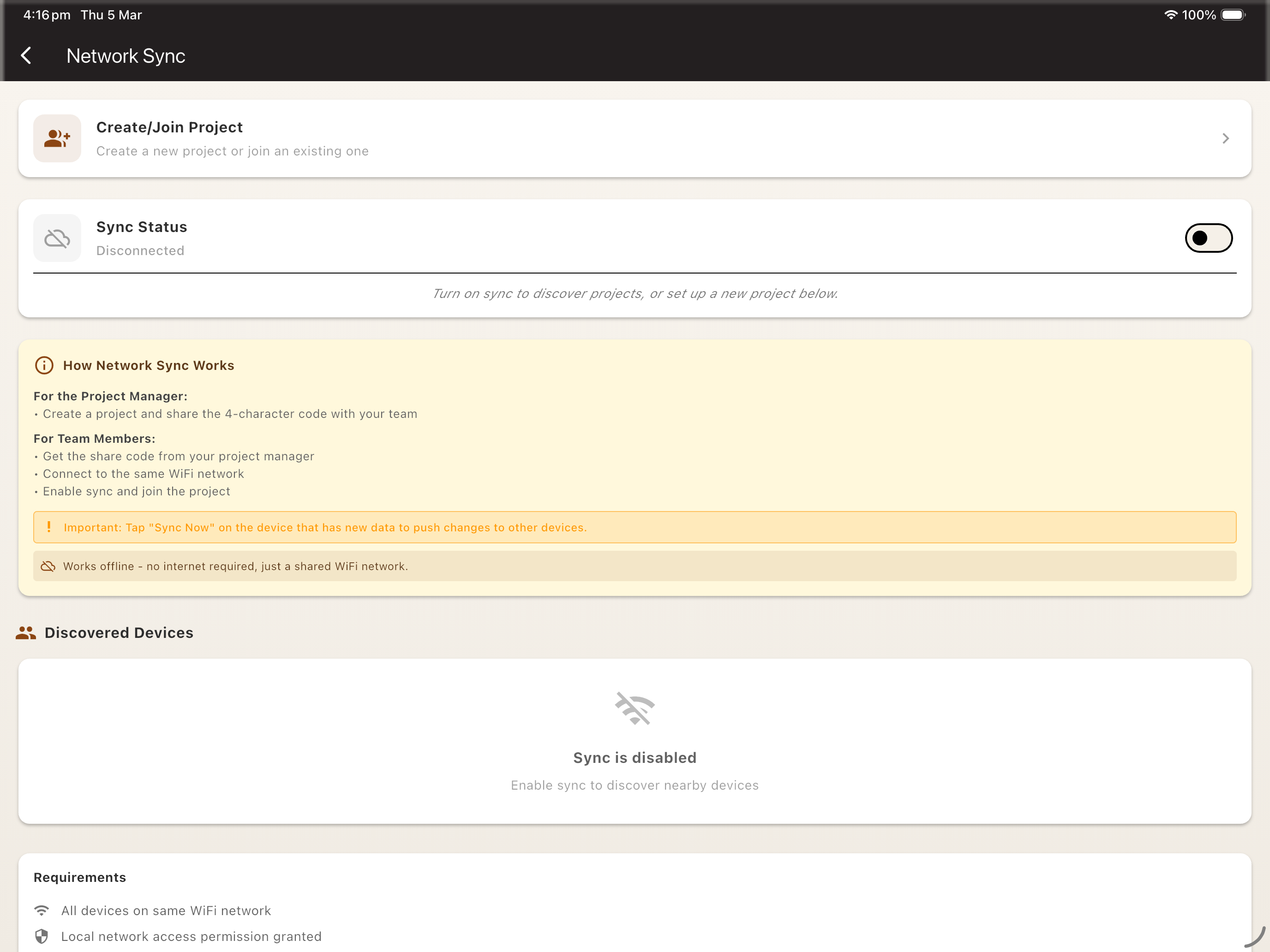
- ▶Projects & teams (Available on desktop and mobile) — group many sites under a project and manage team members and their roles — the container for a whole field season or a multi-year programme.
- ▶Multi-device team sync (Available on desktop and mobile) — sync a project across the whole crew's devices with change tracking and conflict resolution, and move data between field phones and the lab desktop — everyone records into one shared, up-to-date dataset.
- ▶Field-notes journal (Available on desktop and mobile) — a running per-site notebook for the day-to-day narrative that structured forms don't capture.
- ▶Deadlines & calendar export (Available on desktop and mobile) — track reporting, permit and funding deadlines and push them to your calendar as ICS.
- ▶Permits & licences (Available on desktop and mobile) — store excavation permits, licences and their conditions with expiry tracking so nothing lapses mid-season.
- ▶Field-trip planner (Available on desktop and mobile) — plan a season or an overseas trip — logistics, dates and requirements — in one place.
- ▶Equipment roster & bookings (Available on desktop and mobile) — a firm-level asset inventory with per-asset bookings, a booking calendar and per-site assignment, so kit is never double-booked across concurrent digs.
- ▶Field-to-office equipment requests (Available on desktop and mobile) — a crew books kit for specific days from their phone with a live availability check; the request syncs back to the office, where the desktop owner reviews a pending-requests queue and approves or declines each one — the outcome syncs straight back to the field.
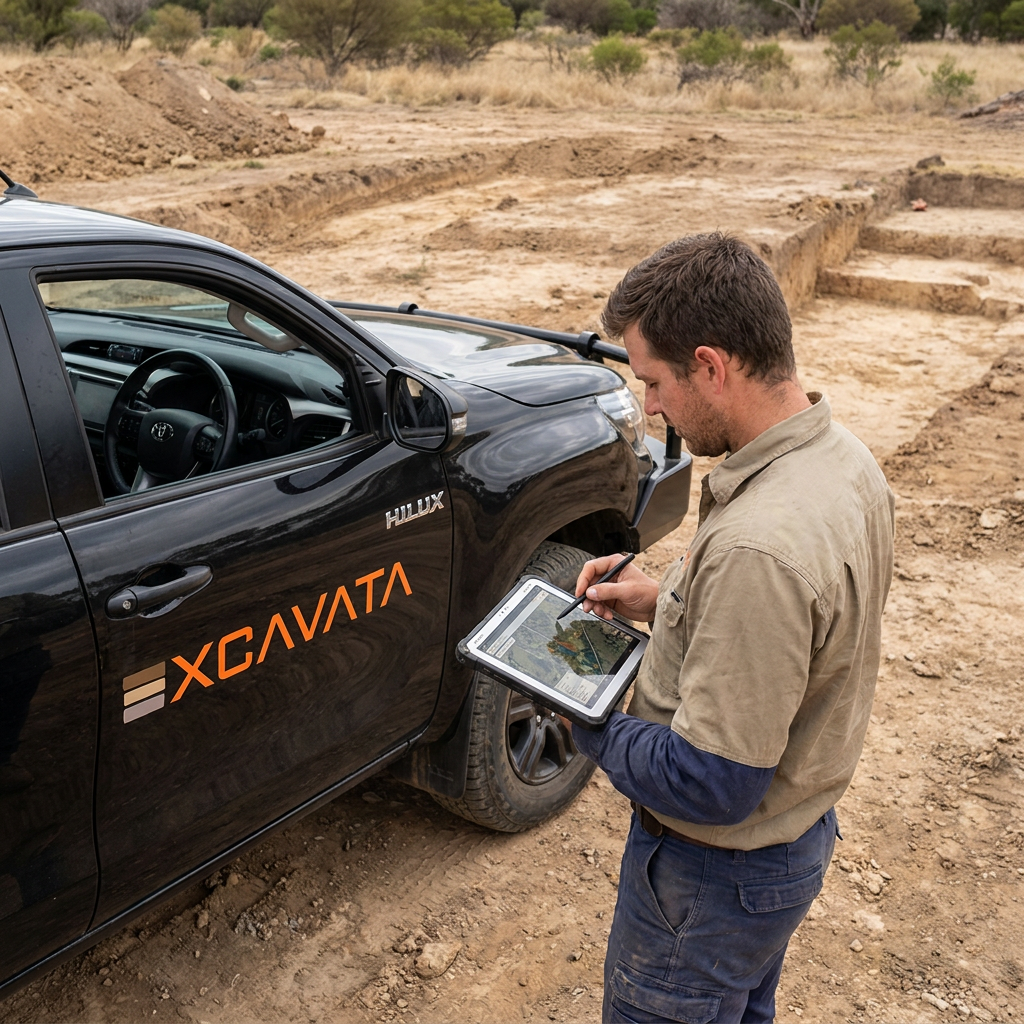
Excavation recording
- ▶Six recording methods (Available on desktop and mobile) — pick per site — Arbitrary (layer/spit, Harris/Barker), Stratigraphic (single-context/lot), Surface Survey, Structural (standing-building), Rock Art (panels & motifs), and Underwater Archaeology (submerged sites, recorded through Field Sessions). One app that fits how you actually dig, rather than forcing one method on every project.
- ▶Flexible spatial hierarchy (Available on desktop and mobile) — sites, areas, units and trenches with user-definable division and record terms, so the structure matches your grid and your terminology.
- ▶Layers & spits (Available on desktop and mobile) — record depths, Munsell colour, soil description and sieve mesh size, with elevations tied to your datums.
- ▶Contexts / lots (Available on desktop and mobile) — single-context planning with full stratigraphic relationships (cuts, fills, above/below) captured as you record.
- ▶Features (Available on desktop and mobile) — installations, walls, post-holes, cuts and fills, with their own descriptive fields.
- ▶Structural contexts (Available on desktop and mobile) — dedicated recording for architecture and standing buildings.
- ▶Automatic Harris Matrix (Available on desktop and mobile) — the app builds the stratigraphic diagram for you from the relationships you record — no more redrawing the matrix by hand as the sequence grows. A genuine desk-work time-saver.
- ▶Configurable standards (Available on desktop and mobile) — pluggable EU, UK/Harris and US/NAGPRA conventions, so the app speaks your recording tradition.
Spatial, mapping & survey
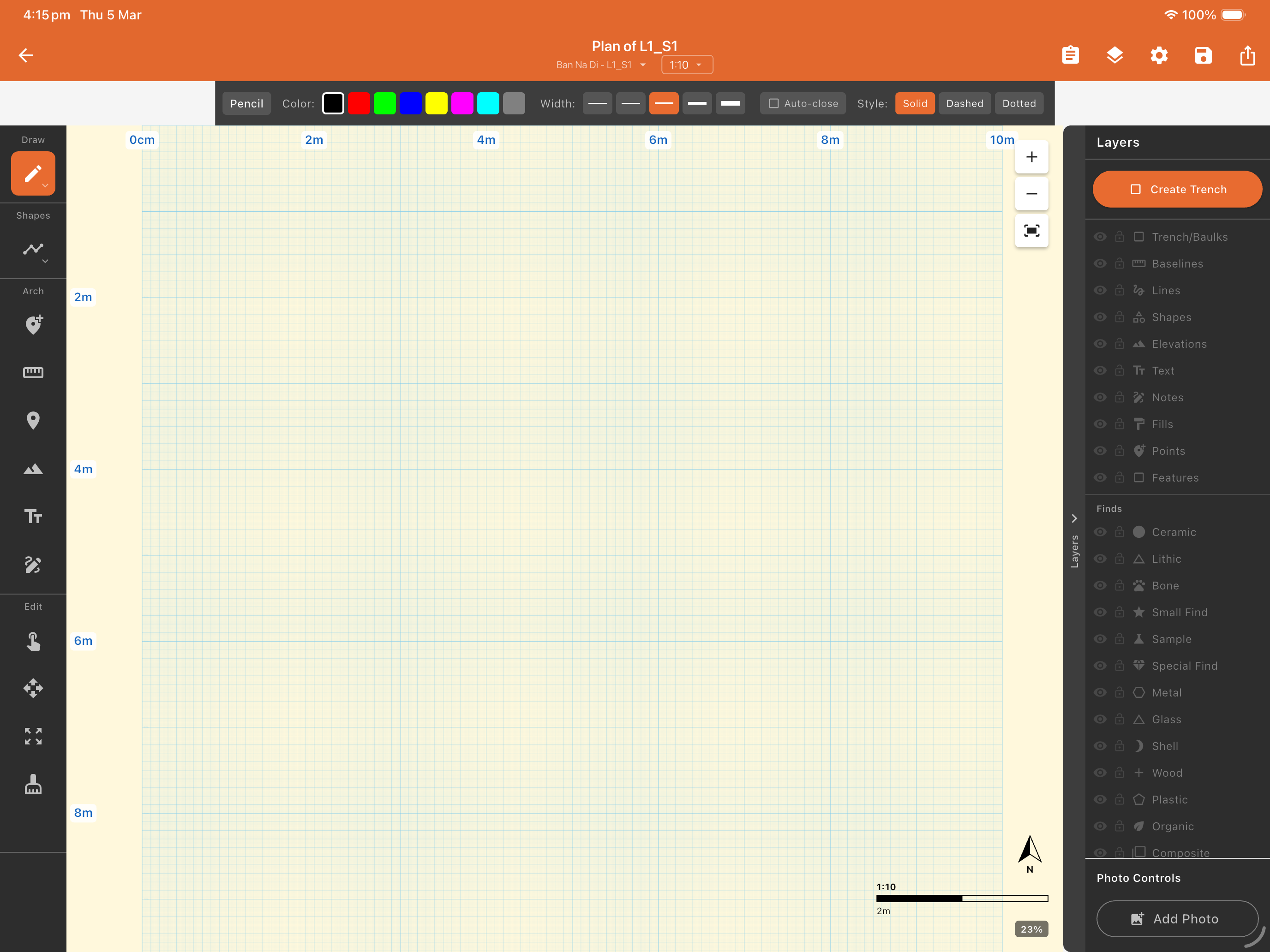
- ▶Vector plan drawing (Available on desktop and mobile) — a full drawing surface — lines, circles, points, polygons, text and hatching — with scale ratios (1:20, 1:50, custom), scale bars, photo underlays registered by four points, and locked/visible drawing layers; Apple Pencil on iOS. Export publication plans as PDF, SVG, PNG or JPG.
- ▶Elevations & datums (Available on desktop and mobile) — manage site datums, record level readings, and carry spit and context elevations through the whole sequence.
- ▶Total-station integration (Available on desktop and mobile) — bring survey-instrument coordinates in and out, so instrument survey and hand recording live in one dataset.
- ▶GPS tracks & location (Mobile only) — capture positions and site elevation in metres above sea level on any device; recording survey tracks (walking paths) is available on iPhone and iPad.
- ▶GIS layer import & display (Available on desktop and mobile) — import and display GeoJSON, KML, GPX and Shapefile vector data with visibility, opacity and ordering controls — spatial context alongside your excavation record. It complements QGIS and ArcGIS rather than replacing them, and exports to GeoPackage and Shapefile so detailed GIS work continues there.
- ▶Raster overlays (Available on desktop and mobile) — drop in GeoTIFFs with automatic georeferencing — historic maps, aerial imagery, geophysics.
- ▶Web map & tile services (Available on desktop and mobile) — connect to WMS/WFS servers and custom XYZ tile sources for basemaps and external GIS data.
- ▶Isoscape overlays (Available on desktop and mobile) — render a baseline isotope surface and colour your samples against it on the map for provenance work.
- ▶Measure from photo (Available on desktop and mobile) — calibrate a photograph to a known length and take measurements from it in the field.
- ▶GCP target generator (Available on desktop and mobile) — print scale-accurate ground-control targets for photogrammetry and SfM capture.
Field tools
- ▶Munsell soil-colour picker (Available on desktop and mobile) — the complete standard soil-book palette (5R–5Y, full Gley 1/2 and neutrals) with a searchable custom-entry fallback. A physical Munsell book is still recommended for accurate colour matching under field light.
- ▶Soil texture guidance (Available on desktop and mobile) — in-app hand-texture determination help.
- ▶Soil grain-size guide (Available on desktop and mobile) — Wentworth-scale reference for describing sediments.
- ▶Rim / diameter chart (Available on desktop and mobile) — scale-accurate printable chart (A4 or A3) for reading pottery rim diameter and sherd percentage of vessel (EVE).
- ▶Square-layout calculator (Available on desktop and mobile) — set out right-angled grids and trenches with a Pythagorean 3-4-5 helper.
- ▶Scale converter (Available on desktop and mobile) — convert between drawing scales and metric/imperial units.
- ▶Dumpy-level calculator (Available on desktop and mobile) — compute elevations from datum, backsight and foresight readings.
- ▶GCP targets (Available on desktop and mobile) — generate and print scale-accurate ground-control targets for photogrammetry.
- ▶Digital compass (Mobile only) — take bearings and orient plans and features in the field.
- ▶Photo identification boards (Available on desktop and mobile) — build on-screen boards (site, context, scale, date) to include in record photographs.
- ▶Reference library & guide (Available on desktop and mobile) — a built-in library and a comprehensive in-app guide.
Finds & specialist recording
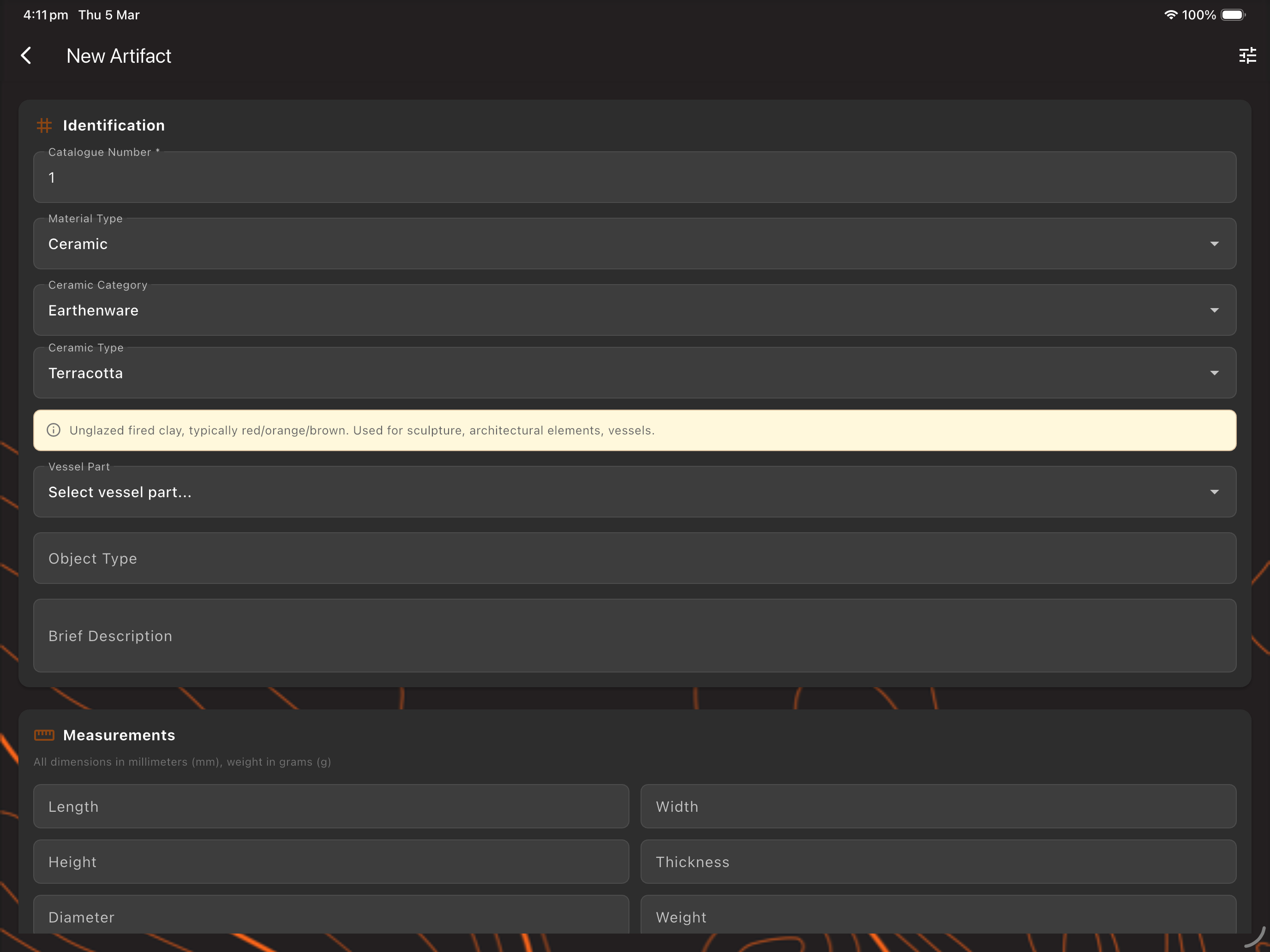
- ▶Artefact catalogue (Available on desktop and mobile) — material and object types, dimensions, and flexible catalogue-number formats with per-site identifier settings.
- ▶Bulk find bags & lab processing (Available on desktop and mobile) — a workflow for bulk-recovered material.
- ▶Environmental & scientific samples (Available on desktop and mobile) — with completion tracking.
- ▶Human remains (Available on desktop and mobile) — bioarchaeological recording with dual-standard age-class support.
- ▶Surface finds (Available on desktop and mobile) — for non-stratigraphic collection.
- ▶Rock art (Available on desktop and mobile) — panel and motif recording and survey, with technique, pigment and iconography.
- ▶Specialist analyses (Available on desktop and mobile) — faunal, archaeobotanical, palynology, isotopes, use-wear, residue, OSL/TL, archaeomagnetic, metalwork, mortar/plaster and more — each with a dedicated form.
- ▶Geochemistry (Available on desktop and mobile) — pXRF and XRF elemental readings with a geological-samples list.
- ▶QR / barcode labels (Available on desktop and mobile) — print labels for bags and boxes of finds and containers, fully scannable in-app to pull up the metadata on a box's contents.
Imaging & figures
- ▶Hierarchical photo association (Available on desktop and mobile) — link every photograph to the site, context, feature, find, sample or human-remains record it documents, and browse them in a per-site gallery — photos stay attached to their record instead of scattered across camera rolls.
- ▶3D scanning (Available on desktop and mobile) — capture photorealistic 3D models of finds and features by simply circling them with an iPhone or iPad — on-device photogrammetry builds a textured, measurable model in minutes, no rig or external software. Each scan is saved to its site and viewable in 3D — rotate and zoom — on iPhone, iPad, Mac and Windows.
- ▶Decorrelation stretch (Available on desktop and mobile) — the specialist rock-art technique, built in — exaggerate subtle colour differences to pull faded pigment and near-invisible motifs out of a panel that the naked eye and an ordinary photo miss. Field-grade image science, no external software.
- ▶Image enhancement (Available on desktop and mobile) — sharpen, adjust and clean up record images for clearer plates and reports.
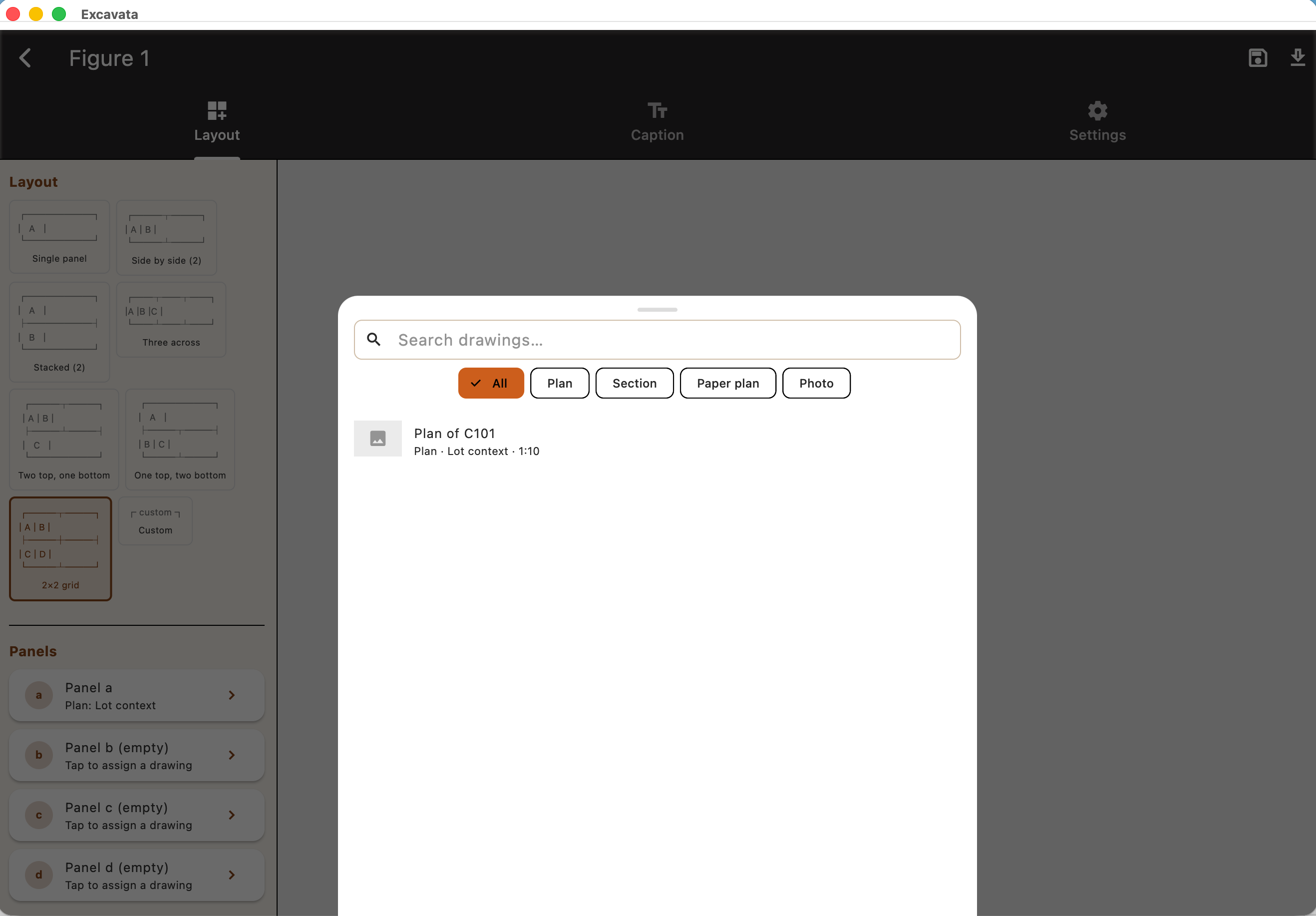
- ▶Figure compositor (Available on desktop and mobile) — assemble multi-panel plates — photographs, plans and drawings arranged with labels and scale — ready to drop into a report or publication.
- ▶Measure from photo (Available on desktop and mobile) — calibrate an image to a known length, then tap to take real-world measurements straight off the photograph.
Analysis, statistics & chronology
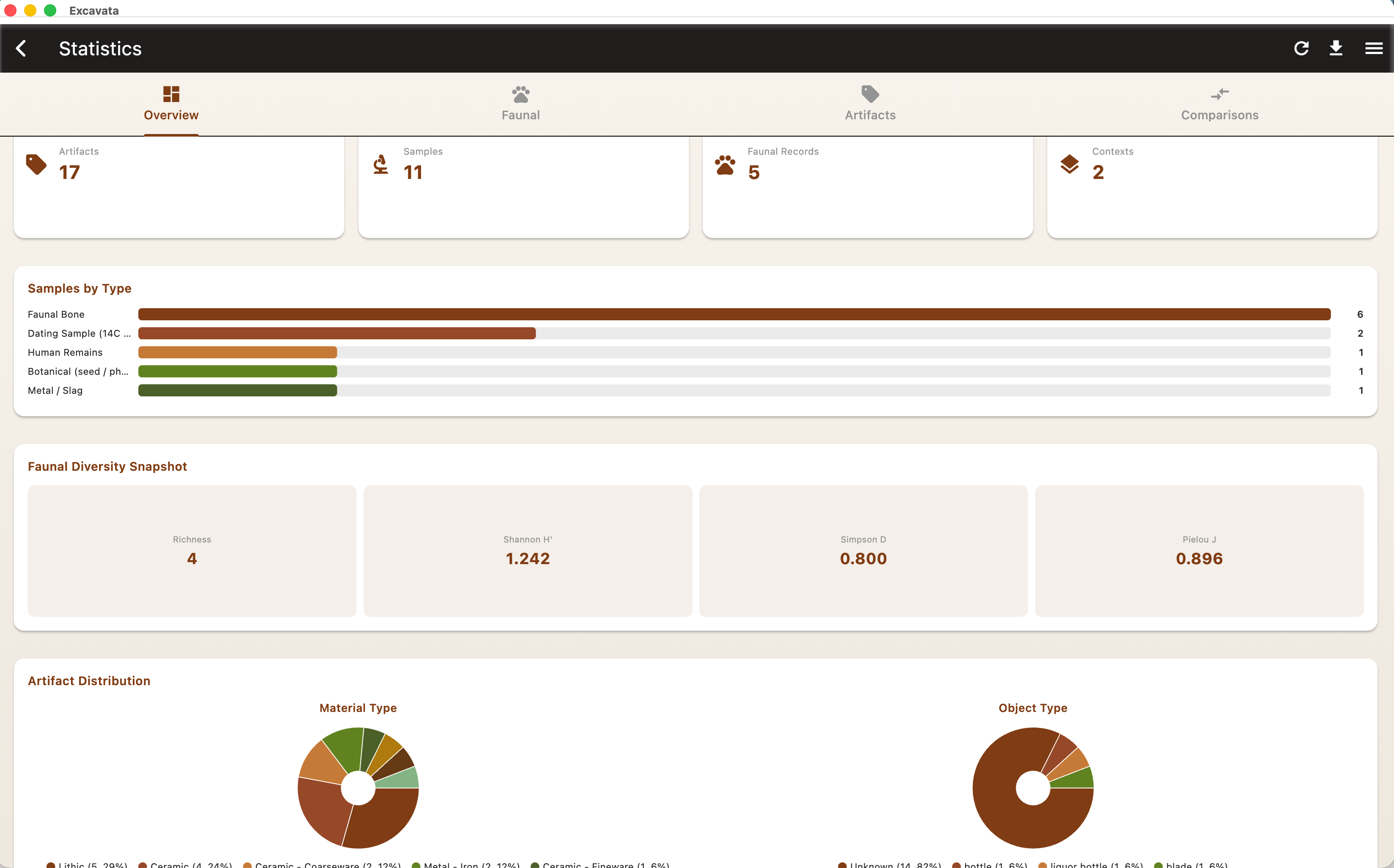
- ▶Eleven-tab statistics dashboard (Desktop only) — a full quantitative-analysis workspace — Overview, Faunal, Archaeobotanical, Palynology, Environmental, Isotope, Archaeometry, Artefacts, Comparisons, Human Remains and Chronology — every specialist domain in one place, fed directly by the records you enter in the field and lab. No exporting to a stats package to see what you have.
- ▶Spatial & settlement-pattern analysis (Desktop only) — within-site point-pattern analysis of your finds — Clark–Evans nearest-neighbour, kernel-density hotspots, Ripley's K/L, DBSCAN and k-means clustering, hierarchical grouping and Moran's I autocorrelation — and the same suite at landscape scale across sites, reading settlement patterning as clustered, random or dispersed with density hotspots and site-size autocorrelation.
- ▶Zooarchaeological quantification (Desktop only) — NISP and MNI, five diversity indices (Shannon, Simpson, Margalef, Pielou, Berger-Parker), rarefaction curves, age-at-death and mortality profiles (Payne kill-off model), epiphyseal fusion, skeletal-element representation and %MAU, food-utility correlation, butchery, cut-mark and burning frequencies, taphonomy summaries, and livestock composition — the standard toolkit for reading an animal-bone assemblage.
- ▶Human osteology & bioarchaeology (Desktop only) — demography and palaeodemographic life tables, dental pathology (caries, ante-mortem tooth loss, enamel hypoplasia and calculus) with status-aware prevalence and confidence intervals, palaeopathology including coded trauma and joint-disease diagnoses, growth and stature, and a full biodistance suite — cranial Mahalanobis D², non-metric Mean Measure of Divergence and multiple-correspondence analysis, bilateral asymmetry and sexual dimorphism.
- ▶Archaeobotanical & palynological analysis (Desktop only) — taxon counts, diversity indices, ubiquity, Brainerd-Robinson similarity matrices, ordination, and depth-ordered pollen diagrams with CONISS zonation — computed separately for each sub-domain so the mathematics stays sound.
- ▶Isotope analysis (Desktop only) — δ¹³C/δ¹⁵N (and other systems) bivariate scatters with per-group colouring and convex-hull or 1σ/2σ confidence-ellipse overlays, plus map isoscapes — palaeodiet and provenance separation at a glance.
- ▶Archaeometry & geochemistry (Desktop only) — PCA biplots for ceramics, mortars and sediments, cross-material compositional-chemistry PCA, LDA classification, rare-earth-element spider diagrams, and XRD mineral-phase ordination — turning raw analytical numbers into interpretable provenance patterns.
- ▶Artefact statistics (Desktop only) — material and object-type distributions, dimension box-and-whisker plots with group-difference tests, and quantity- and weight-based assemblage totals.
- ▶Cross-context & cross-site comparisons (Available on desktop and mobile) — chi-square with Cramér's V, non-parametric group comparisons (Mann-Whitney U, Kruskal-Wallis), correlation and regression, and Brainerd-Robinson similarity — plus compare whole sites against one another and against imported reference cohorts.
- ▶Chronology & radiocarbon calibration (Available on desktop and mobile) — calibrate radiocarbon dates on-device against the bundled IntCal20, SHCal20 and Marine20 curves, then read them as calibrated date-range multiplots, summed-probability distributions, period phase diagrams, occupation-envelope timelines and date-versus-depth chronostratigraphy.
- ▶Reproducible, saveable analyses (Available on desktop and mobile) — key analyses can be saved with their inputs and a methods statement, re-run against your current data, and drift-checked — the citable, reportable version of a result rather than a throwaway chart.
- ▶Statistical Report (Available on desktop and mobile) — report-ready summary tables of your recorded data — assemblage counts, context inventories and per-material totals — generated on phone or desktop and ready to paste straight into a report appendix.
Data management & platform
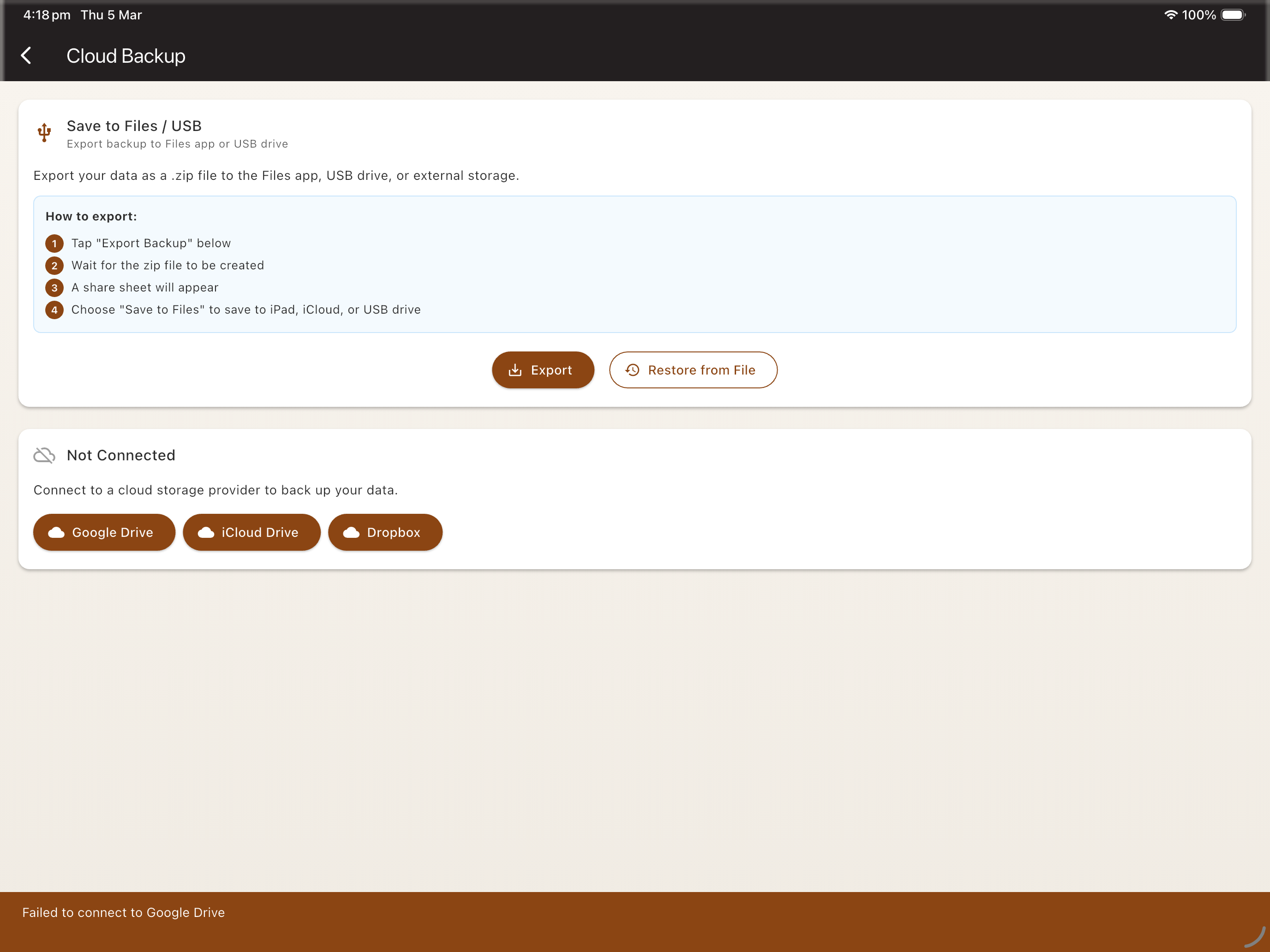
- ▶Cloud backup & restore (Available on desktop and mobile) — back up to your own account on Google Drive, iCloud Drive, Dropbox, OneDrive, or any WebDAV server (Nextcloud, ownCloud, self-hosted) — you keep control of your data, and restore whole projects or single sites. No Excavata-hosted storage to trust or pay for.
- ▶Offline-first by design (Available on desktop and mobile) — everything lives in a local SQLite database, so recording, editing and analysis all work with no signal — then sync and back up when you are back online.
- ▶Truly cross-platform (Available on desktop and mobile) — one codebase across iOS, Android, macOS, Windows, Linux and web, so the same project opens identically on a trench phone and a lab workstation.
- ▶Customisable fields & forms (Available on desktop and mobile) — show, hide and tailor recording fields per form and per record so the app matches your project's recording system rather than the other way round.
- ▶Global search (Available on desktop and mobile) — find any record — a context, a find, a sample, a note — across the entire project in one search.
- ▶Multilingual interface (Available on desktop and mobile) — a fully localised interface in English, French and Spanish, with UK/US spelling variants and locale-aware date formats.
- ▶Demo project (Available on desktop and mobile) — a fully populated example dig for onboarding, training and evaluation before you commit real data.
Reporting & export
- ▶AI-assisted narratives (Desktop only) — draft context, project and stratigraphic report text from your recorded data to break the blank-page problem — always clearly disclosed as AI-generated, for you to edit and sign off.
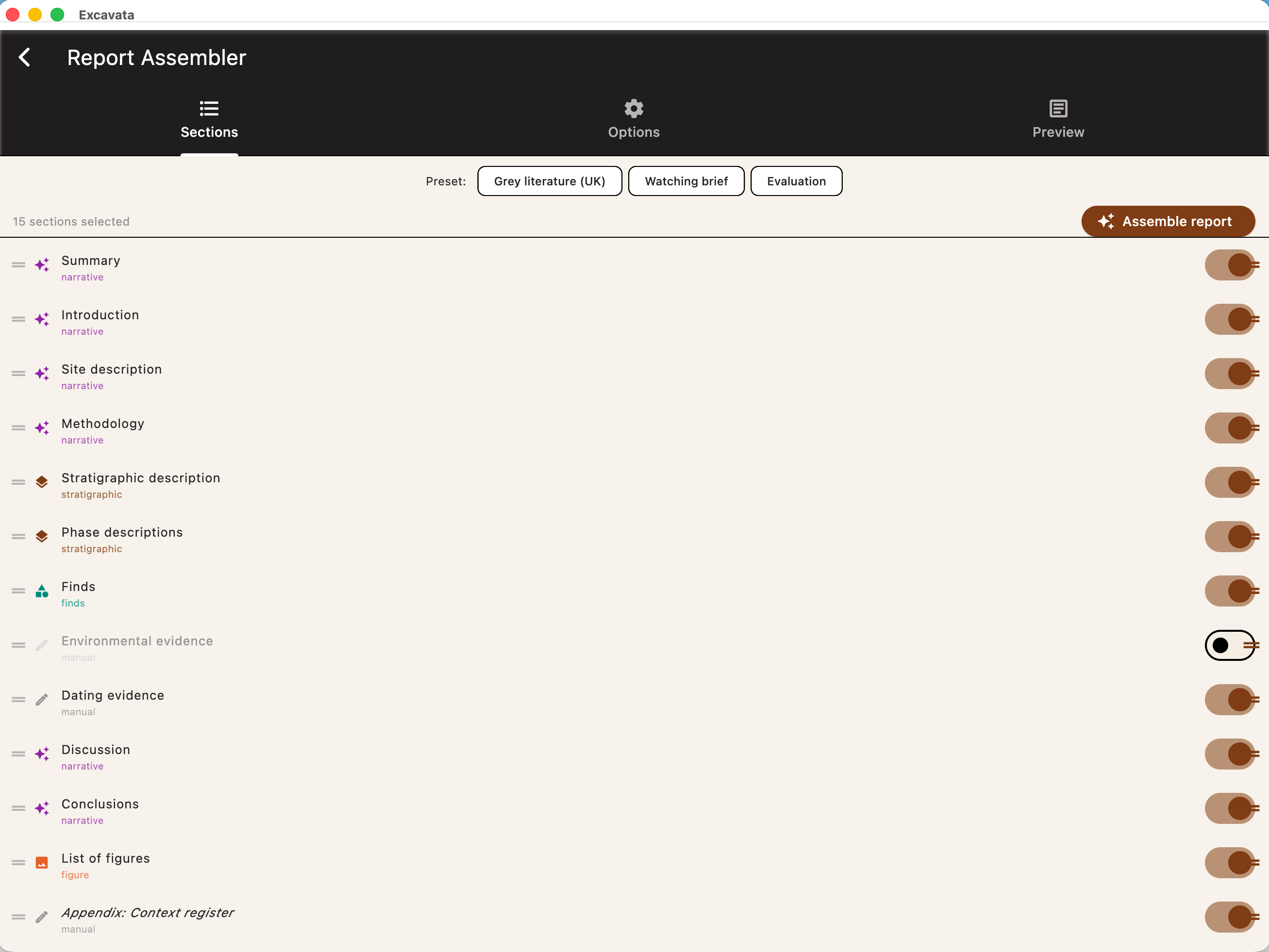
- ▶Report assembler (Desktop only) — pull records, tables, statistics and figures into a structured, publication-ready document — the write-up lives with the data instead of in a separate word processor.
- ▶Multi-format export (Available on desktop and mobile) — CSV, JSON and XML export free on any device, so you can always leave with your raw data; produced deliverables — GeoPackage and Shapefile for GIS, formatted PDF reports, PNG/JPG/SVG figures, and one-click accounting exports for Xero, MYOB and QuickBooks — come with a subscription. The split is by plan, not platform.
- ▶Flexible data import (Available on desktop and mobile) — bring in CSV finds catalogues, legacy datasets, and reference images from PowerPoint (.pptx) and Keynote (.key).
- ▶Paper forms & OCR (Available on desktop and mobile) — not sure you want to go fully digital? Generate branded, OCR-readable paper recording forms for use in the field; back in the office, scan the filled-in OCR sheets into the database — a bridge for teams not yet fully digital.
Community
- ▶Members-only Q&A board (Available on desktop and mobile) — questions → replies → accepted solution, for subscribers.
- ▶Categories, search & voting (Available on desktop and mobile) — browse by topic, search, add "me too", upvote, and moderate.
- ▶Report a bug to the board (Available on desktop and mobile) — optionally post a bug straight from the in-app reporter.
Who Uses Excavata?
Excavata is designed for anyone involved in archaeological fieldwork and post-excavation analysis:
- ●Field archaeologists — record data on phones and tablets while excavating
- ●Field teams and supervisors — coordinate recording across multiple trenches and team members
- ●Lab staff — process finds in bulk with desktop tools
- ●Universities and students — learn digital recording methods on real projects
- ●Project directors — oversee data quality and generate reports
Technology
Excavata is built with a focus on reliability, portability, and independence from cloud infrastructure.
All data is stored locally on your devices. Synchronisation happens directly between devices on the same network — no internet connection or third-party cloud service is needed. Your excavation data stays under your control at all times.
Excavata runs natively on iOS, Android, macOS, and Windows, providing a consistent experience whether you're standing at a trench edge with a phone or sitting at a desk with a monitor.
From the trench to publication
One app for the whole project. Try it free for a year — no credit card required.