
Excavata
Desktop Features

Powerful post-excavation tools for macOS and Windows — analyse, visualise, and report from your lab or office.

Three-Panel Workspace

An interface designed around how archaeologists actually work with their data.
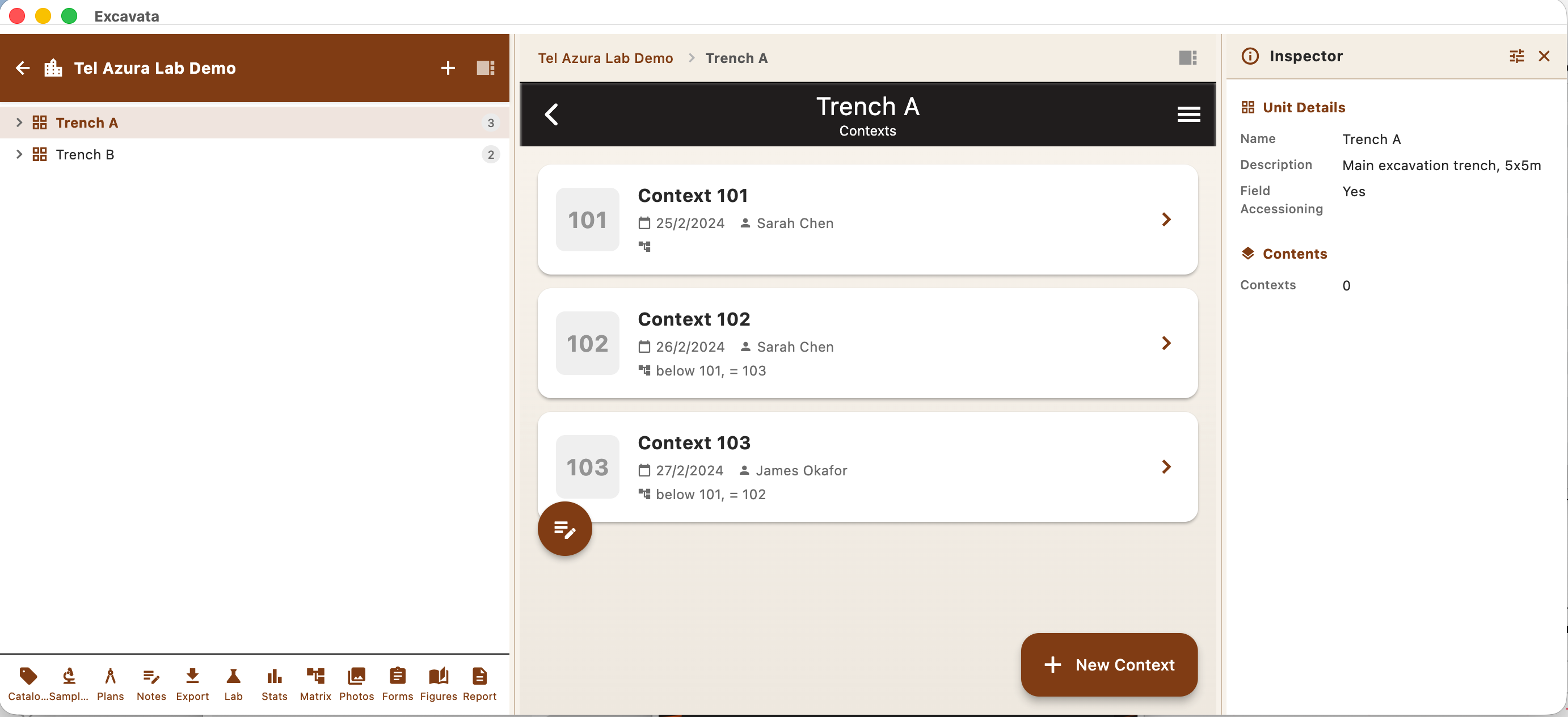
  • Navigator panel for browsing the site tree
  • Central workspace for editing and viewing records
  • Inspector panel for metadata and relationships
  • Resizable and collapsible panels
Three-Panel Workspace showing navigator, workspace, and inspector panels

Site Tree Navigation

Browse your entire project hierarchy at a glance.
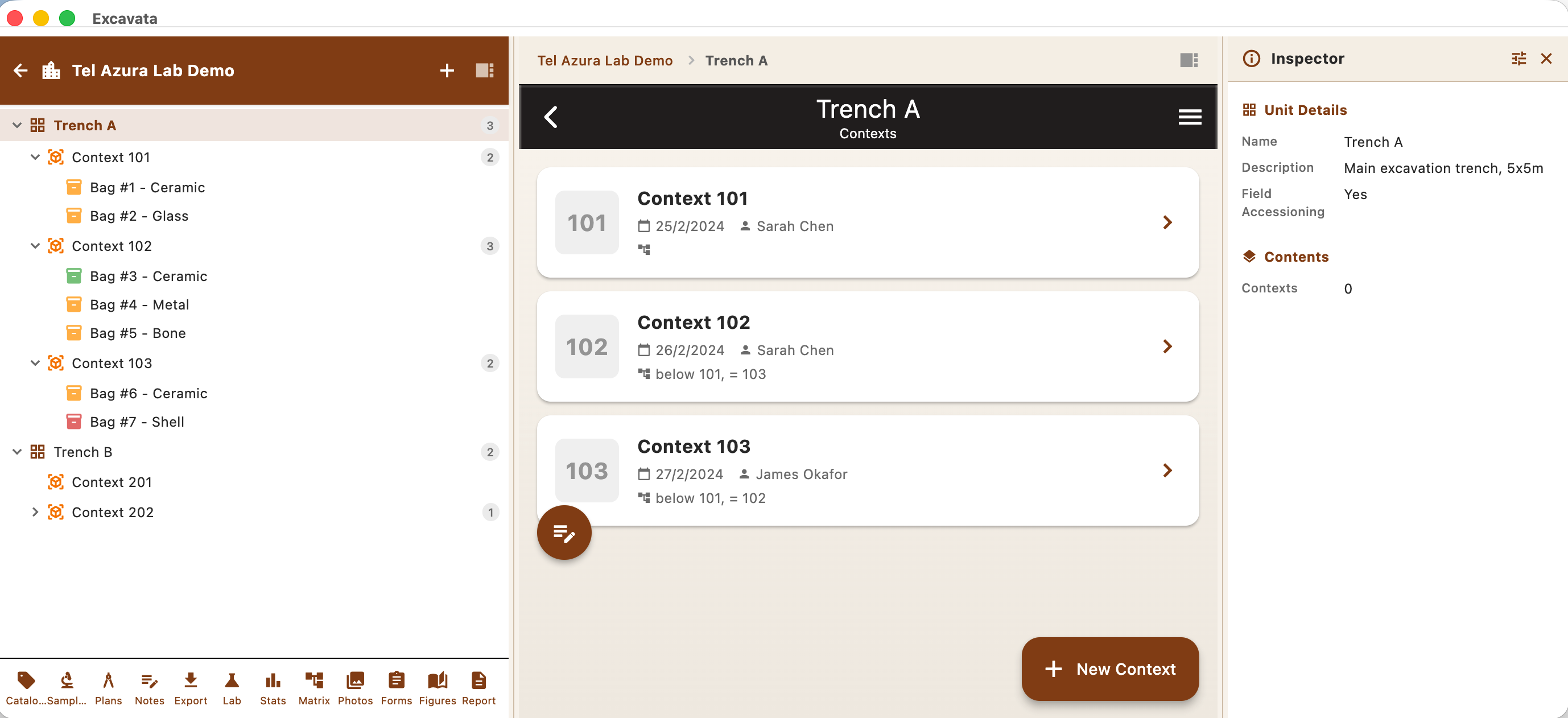
  • Hierarchical view: Site → Area → Trench → Context
  • Drag-and-drop reorganisation
  • Quick search and filtering
  • Colour-coded status indicators
Site tree navigation showing hierarchical project structure

Bulk Lab Processing

Process large volumes of finds and samples efficiently in the lab.
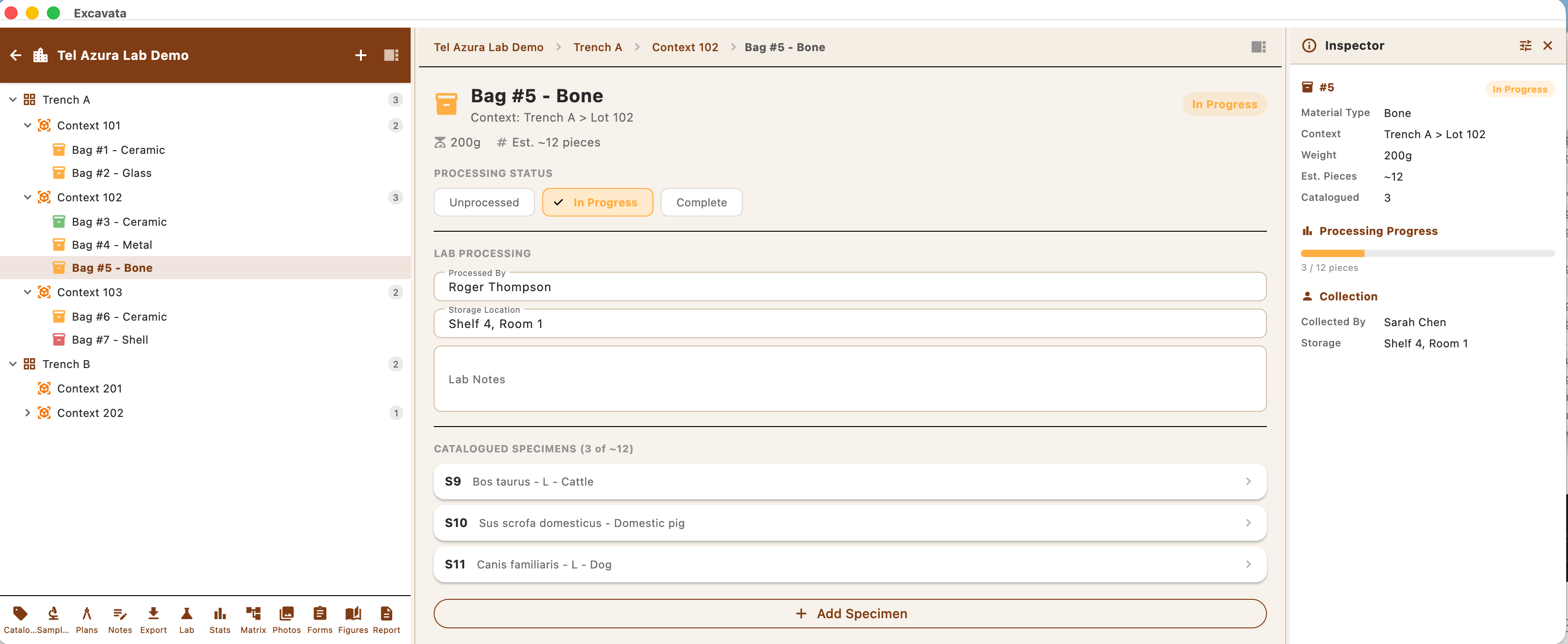
  • Batch artifact recording and classification
  • Spreadsheet-style bulk editing
  • Weight, count, and measurement entry
  • Lab workflow status tracking
Bulk lab processing with spreadsheet-style editing

Harris Matrix Visualisation

Automatically generate stratigraphic diagrams from your recorded relationships.
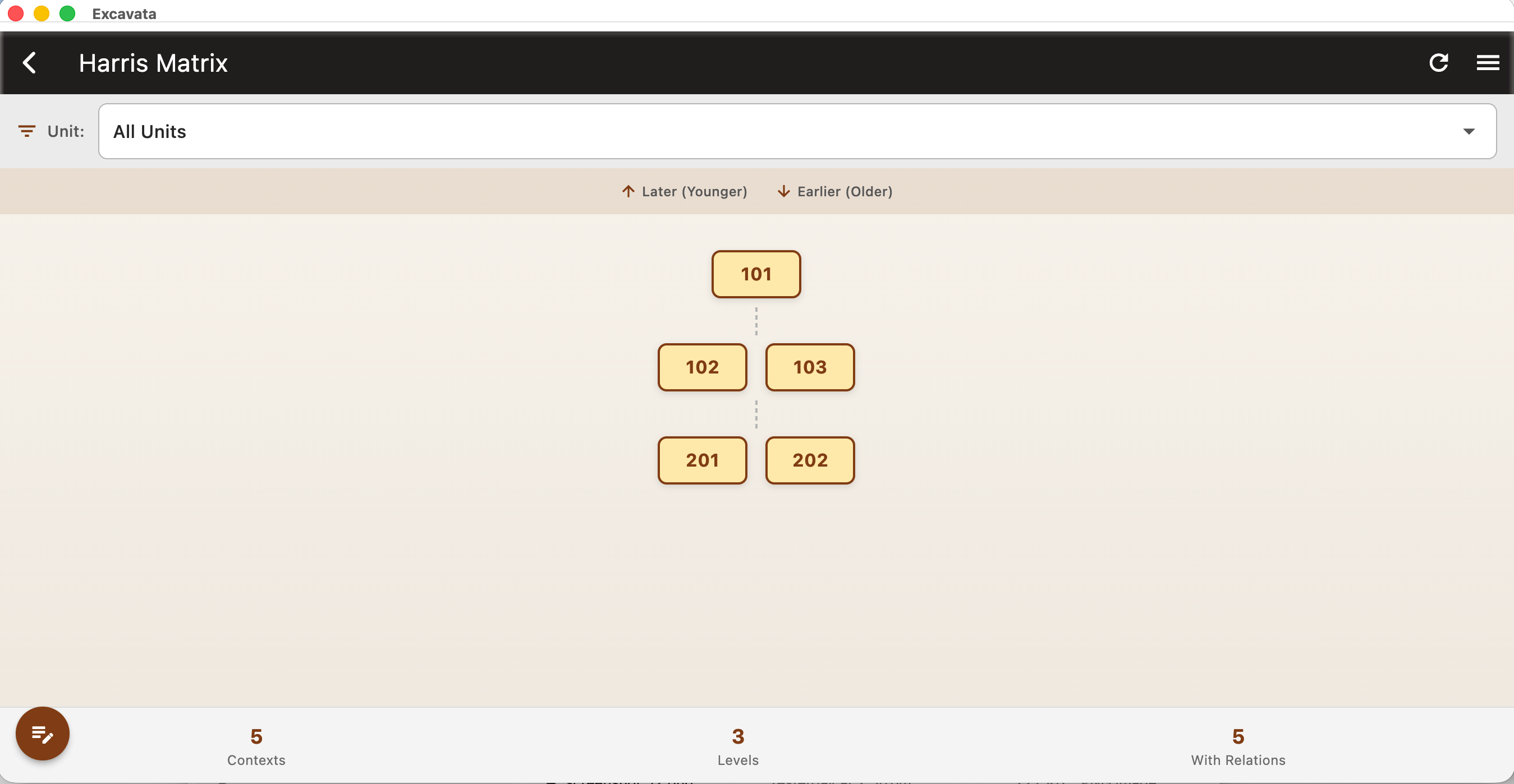
  • Auto-generated Harris Matrix from context data
  • Interactive zoom, pan, and selection
  • Highlight phases and groupings
  • Export as SVG or PDF
Harris Matrix visualisation showing stratigraphic relationships

Statistics Dashboard

Get instant overviews and breakdowns of your excavation data.
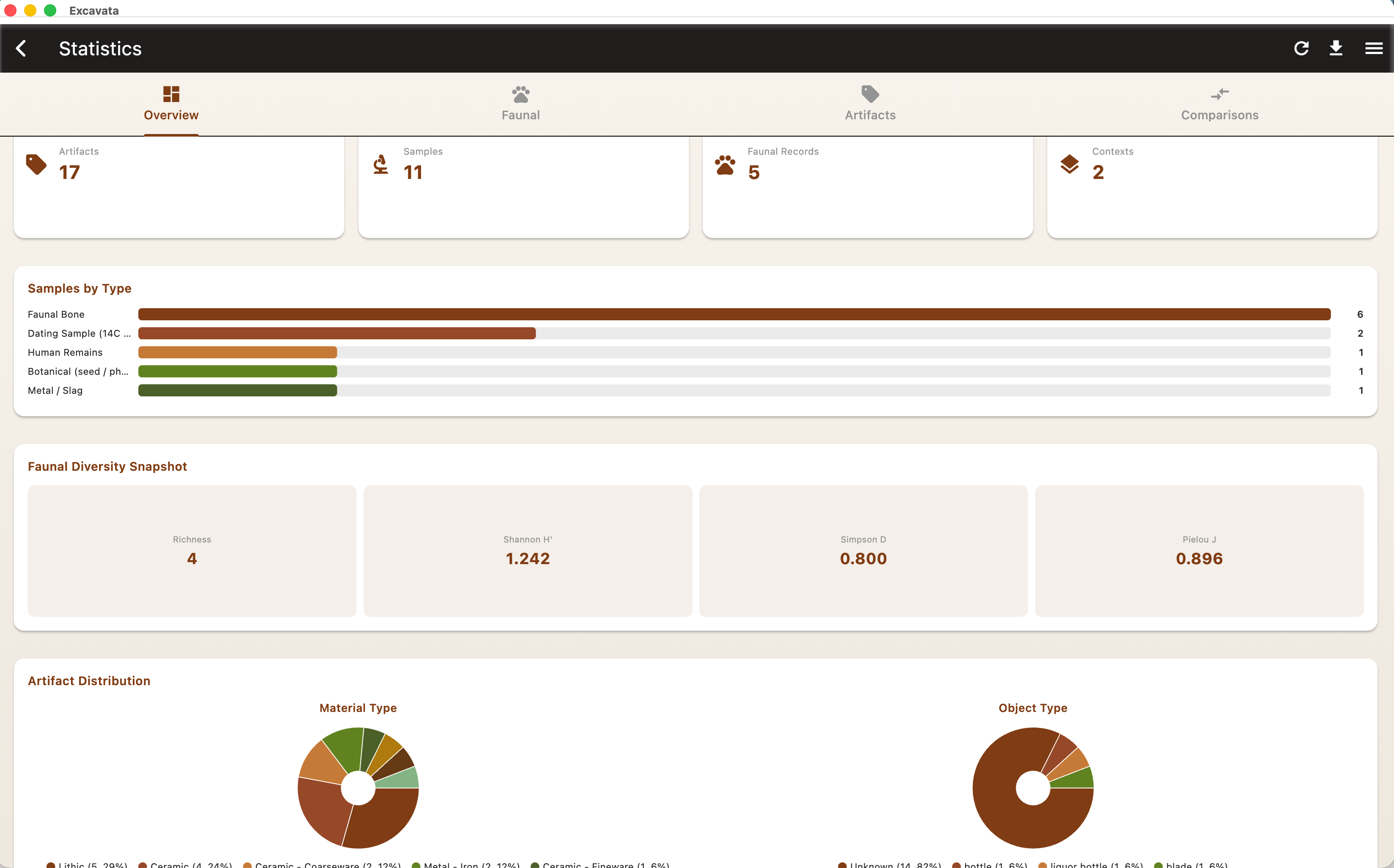
  • Artifact counts by material, type, and context
  • Sample processing progress
  • Recording completeness metrics
  • Customisable charts and tables
Statistics dashboard with charts and data breakdowns

Report Assembler

Build publication-ready reports directly from your project data.
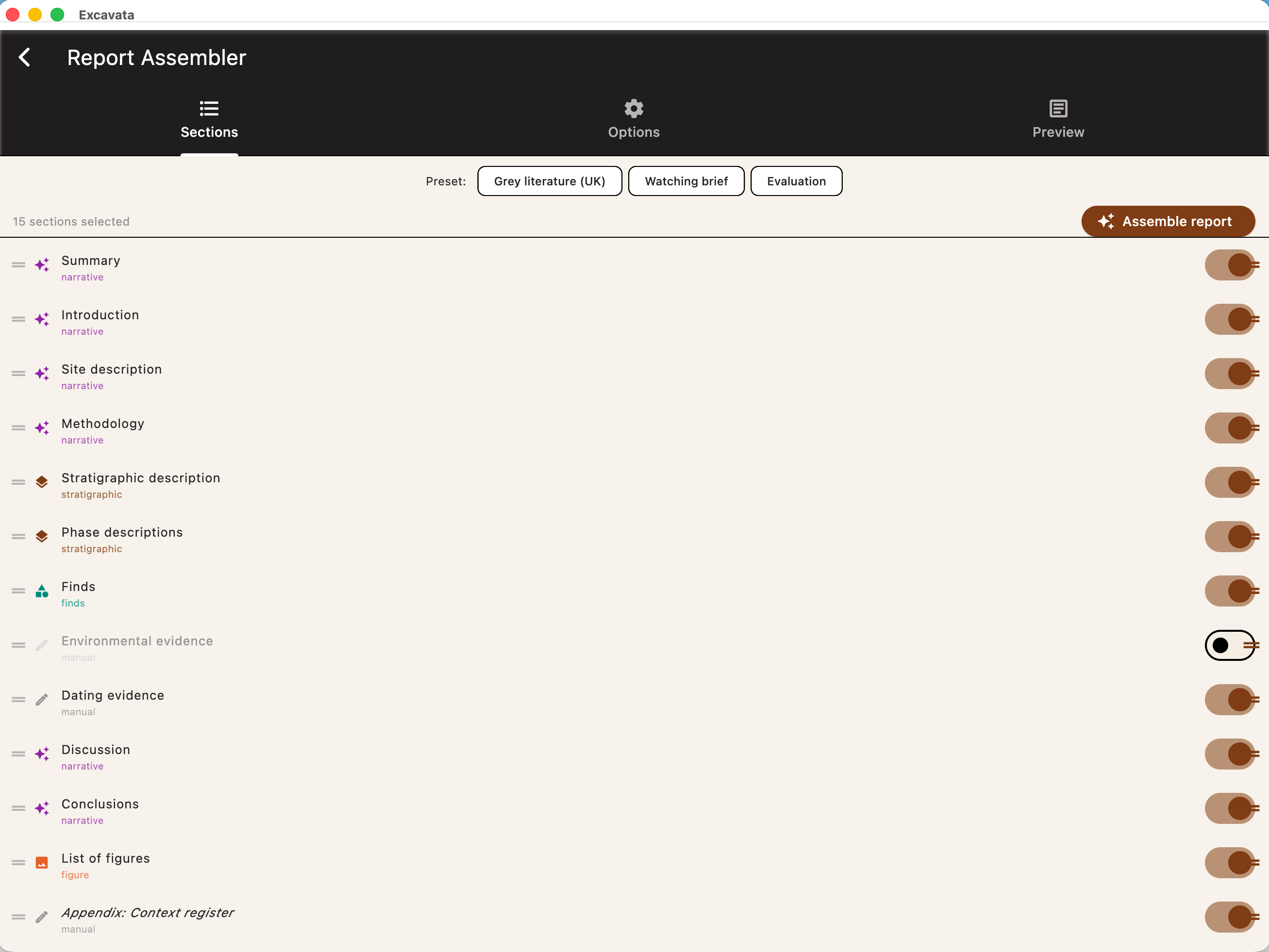
  • Drag-and-drop report sections
  • Auto-populated tables and summaries
  • Inline figure placement
  • Template support for different report styles
Report assembler with drag-and-drop sections and auto-populated tables

Figure Management

Organise, annotate, and prepare figures for reports and publications.
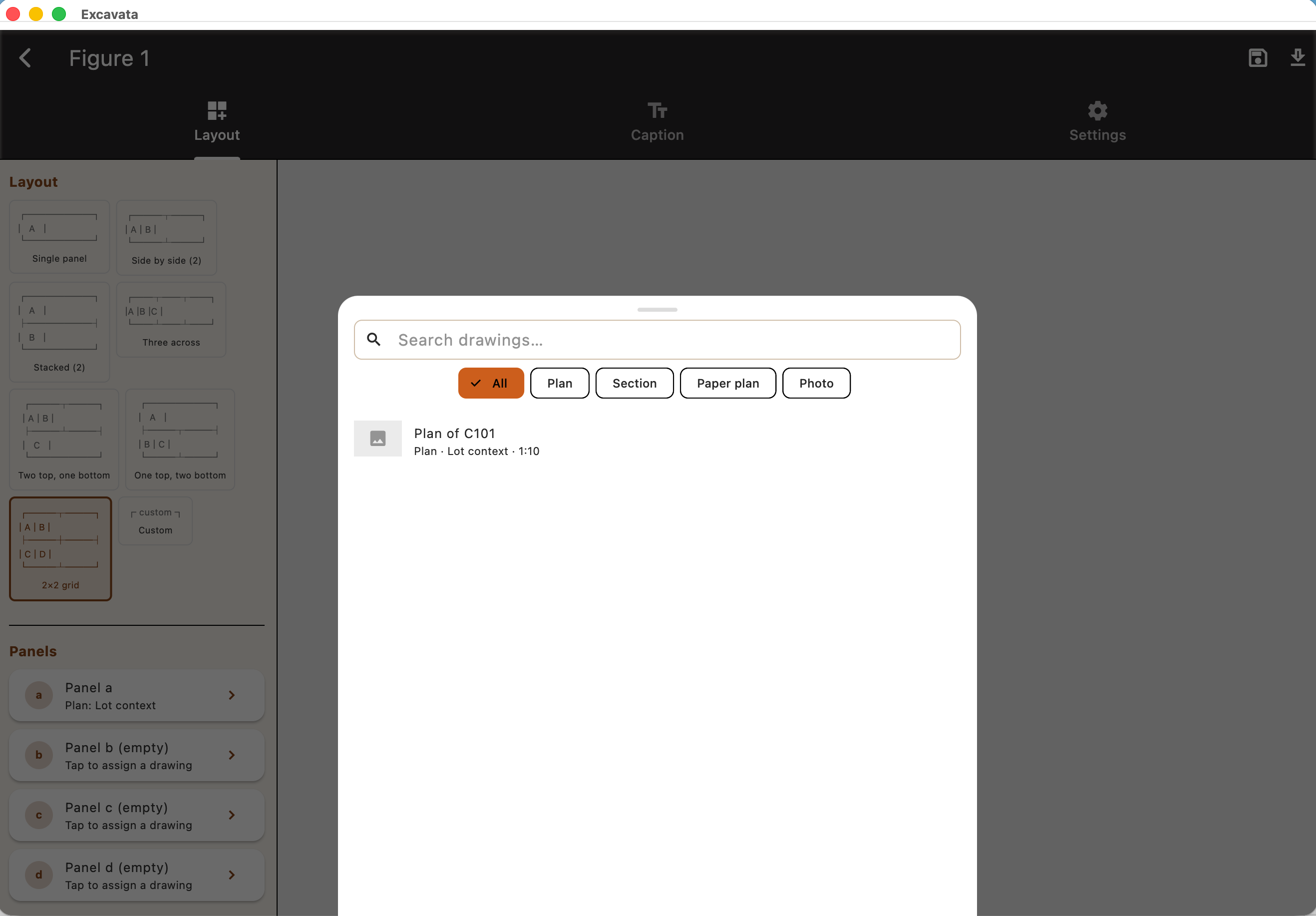
  • Figure numbering and captioning
  • Annotation and markup tools
  • Batch export in multiple formats
  • Link figures to contexts and records
Figure management with numbering, captioning, and annotation tools

Export Capabilities

Get your data out in the format you need — open and interoperable.
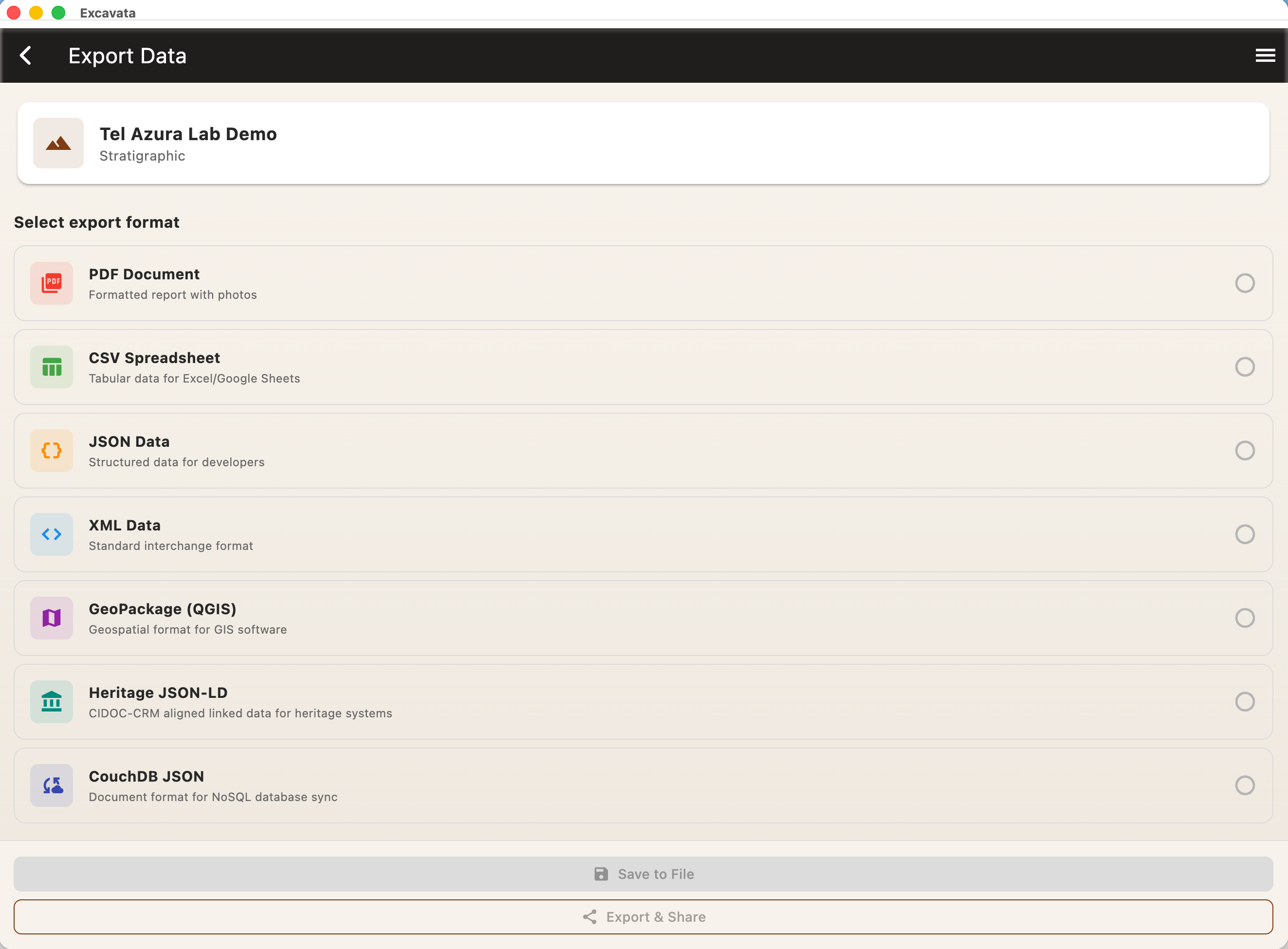
  • PDF reports with embedded figures
  • CSV for spreadsheet analysis
  • JSON and XML for archival and interoperability
  • SVG for vector graphics and plans
Export capabilities with PDF, CSV, JSON, XML, and SVG formats

Start in the field

Excavata mobile captures data on-site, then syncs seamlessly with the desktop app for post-excavation work.

Mobile Features